
Sheetwork Studio Templates
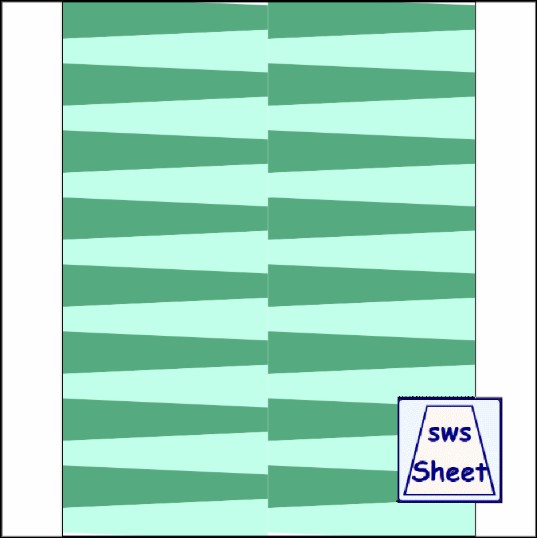
7/8-1/2x4.25in
Mini All Strips Layout
Designed by Julie A. Bolduc
Sheet ID: s781211
Day Added: August 28 2026
Made For: Sheetworks Studio
This template's paper bead strips can each be customized individually in Sheetworks Studio. Every strip supports its own background image or color. If the same image is applied to all strips, they may visually blend together, making the seams less obvious when cutting. For best results, using different images—or varying how the image is positioned on each strip-is recommended to create clear, easy‑to‑see separation between strips.
Download the ZIP file and leave it exactly as it is. Do not unzip or rename it. Open Sheetworks Studio and choose File → Import New Template. The app will install the template automatically. Please note: Importing templates in Sheetworks Studio requires a purchased registration number. With one single purchase, you can download and import as many templates as you want — no additional fees, no in‑app charges.
All items in our online shop ship free within the US only. I currently offer U.S. shipping only and it is from rural Maine. Delivery can vary from 2–14 days depending on your distance from Maine. Expedited shipping is not available.
Please note: I am now selling all of my paper bead making tools and other items from this web site using Paypal payments.
I have removed all of my paper bead making tools from Amazon. My Kindle crochet pattern books and paper template paperback books continue to be available on Amazon, as they are printed and fulfilled directly by Amazon. If you would like to shop my Etsy Store, follow the link in the header above.
Random Quick Tip!
Stringing Beads Before StitchingIf you crochet with beads, put the beads in a shallow dish to make it easier to scoop them up one or two at a time. When working with beads, most of the time you will need to put the beads onto the thread or yarn first before starting with crocheting.